

The Evolution of Web Accessibility
Standards tools and today’s solutions
Digital Accessibility
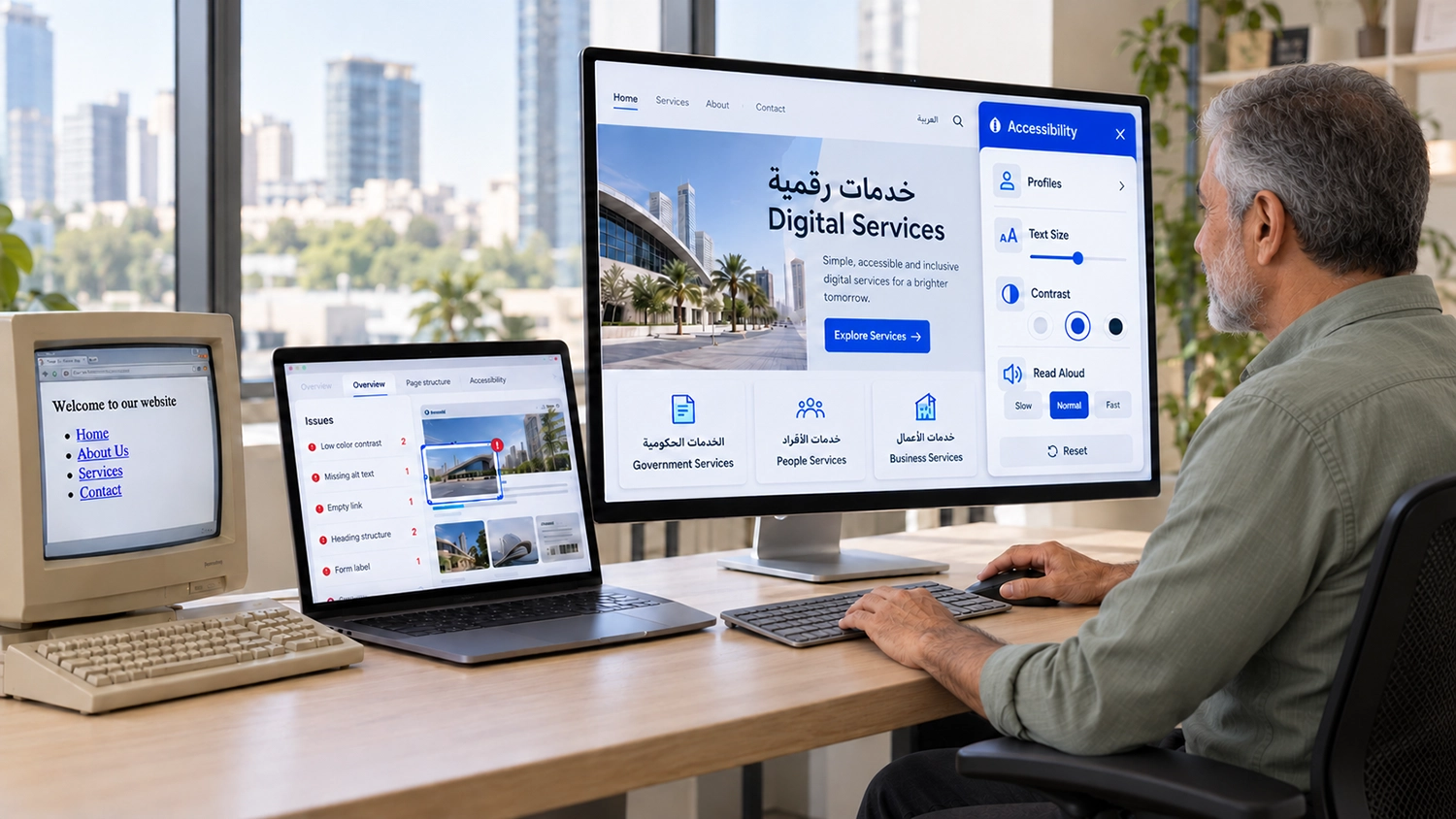
Web accessibility tools now range from visitor customisation widgets to developer testing platforms and specialist audit services. For government entities and enterprises, understanding how these solutions developed helps answer a practical question: which combination will support the people using your digital services?
The answer depends on the task. A visitor may want larger text or fewer distractions. A developer may need to identify a faulty control. A procurement team may need evidence that an application journey has been assessed against agreed requirements. These needs overlap, but one product should not be assumed to address them all.
This article traces key milestones in web accessibility, explains the main categories of tools available today and introduces selected examples, including UserWay, accessiBe, Deque, WebAIM and VisiAble. It offers a guide to different approaches rather than a ranking of providers.
Publisher disclosure: This article is published by VisiAble, which provides VisiWidget and professional accessibility services. External product descriptions are based on the linked official pages reviewed on 10 October 2026, not independent comparative testing. Features and packages may change.
The Answer at a Glance
Choose accessibility tools according to their role. Assistive technologies help individuals interact with digital content. Evaluation tools help teams find barriers. Widgets offer visitor controls and, in some products, additional automated adjustments. Professional assessment provides contextual testing and evidence to guide improvements. An organisation may need several of these approaches together.
Why Web Accessibility Became Necessary
Digital services can create barriers when their design assumes that every visitor sees, hears, reads and operates a device in the same way. An image-only instruction may leave out a person who cannot see it. A mouse-dependent menu can block someone using a keyboard. A video without captions may withhold information from someone who cannot hear the audio.
For public-sector teams, the issue becomes especially clear when information pages lead to essential transactions. Reading an eligibility statement is only the beginning. People must also be able to register, understand instructions, complete forms and recover from errors. An accessible homepage does not establish that the whole service can be used.
Accessibility therefore concerns the relationship between content, interface behaviour and the technologies people use. W3C’s explanation of the essential components of web accessibility describes the interconnected roles of content, browsers, assistive technologies, authoring tools and evaluation tools. That wider view helps explain why accessibility has developed into a shared responsibility.
Key Milestones in Web Accessibility Standards
The history of web accessibility is broader than a single organisation or standard. The milestones below focus on W3C’s work because it established a shared technical reference that website teams can use when discussing requirements and evaluating content.
1997 A coordinated international initiative
On 7 April 1997, W3C announced the Web Accessibility Initiative. The initiative brought accessibility into a coordinated programme involving standards development, education and work with industry and other stakeholders. It did not mark the beginning of assistive technology or disability advocacy; it was a milestone in organising accessibility work for the web.
1999 The first Web Content Accessibility Guidelines
W3C published WCAG 1.0 on 5 May 1999. The guidelines gave content authors a common reference for making websites more accessible, helping move discussions beyond isolated fixes towards a structured approach.
2008 to 2023 The WCAG 2 framework develops
According to W3C’s WCAG overview, WCAG 2.0 was published on 11 December 2008, WCAG 2.1 on 5 June 2018 and WCAG 2.2 on 5 October 2023. WCAG 2 organises requirements around four principles: perceivable, operable, understandable and robust. Success criteria are assigned levels A, AA and AAA.
Later versions added criteria to address further accessibility needs. For an organisation commissioning work today, the practical lesson is to name the version and level required in its brief, alongside any applicable policy or contractual requirements. A broad promise of “WCAG compliance” leaves important questions unanswered.
Milestone
Initial publication date
Reference
WAI launch
7 April 1997
Coordinated W3C accessibility initiative
WCAG 1.0
5 May 1999
First WCAG Recommendation
WCAG 2.0
11 December 2008
WCAG 2 framework
WCAG 2.1
5 June 2018
Additional success criteria
WCAG 2.2
5 October 2023
Further success criteria
Main Types of Web Accessibility Tools
Web accessibility tools serve different purposes, from identifying technical barriers to helping visitors personalise their browsing experience.
Assistive technologies support the individual
Screen readers, magnification software and alternative input methods help people access digital information and operate interfaces. These technologies are part of the user’s environment. Their effectiveness also depends on the structure and behaviour of the website they encounter.
A screen reader needs meaningful information about headings, controls and interaction states. Magnifying a page should not make an essential task impossible to complete. These examples show why supporting an individual’s technology remains important even when a website offers its own customisation menu.
Evaluation tools support website teams
Automated evaluation introduced a repeatable way to identify certain issues, such as missing information or detectable contrast problems. Browser-based tools can help inspect individual pages, while developer tools can incorporate checks into development and testing routines.
Automation also has boundaries. W3C’s guidance on selecting evaluation tools explains that some checks need human evaluation. A tool may detect whether alternative text exists without establishing whether it communicates the image’s purpose. Teams need to interpret findings and evaluate interactions that require judgement.
Widgets provide visitor controls and other adjustments
Accessibility widgets add a website interface through which visitors can select adjustments. Depending on the product, these may include text sizing, colour changes, spacing controls and options to reduce visual distractions. Some providers also describe automated remediation capabilities alongside those controls.
Visitor customisation can have a clear practical benefit. A person reading a long page may prefer larger text or a different contrast setting. However, assessing those controls and assessing the accessibility of a complete service are different tasks. A team should test the result in its own environment instead of treating installation as evidence that every requirement is met.
These categories continue to coexist. Widgets have not replaced assistive technologies, and automated checks have not removed the need for contextual evaluation. Modern accessibility work combines tools according to the barriers, users and services involved.
Understanding Today’s Accessibility Tools Market
The examples below illustrate different roles in the market. They are not an exhaustive list, and inclusion does not imply endorsement. Some providers offer products and services across several categories, so buyers should confirm the exact scope of a proposal.
UserWay
UserWay’s accessibility widget presents visitor adjustments including contrast, text size, text spacing and link highlighting. Its official page also describes multilingual widget interfaces and an AI-powered offering. Buyers should distinguish the particular widget package from any separate monitoring, audit or document services they require.
accessiBe
accessiBe’s accessWidget describes visitor customisation, preset profiles and automated adjustments for screen-reader and keyboard interaction. Its current product page also presents expert testing and tailored enhancements. Organisations should confirm which capabilities and services are included in the proposed plan and evaluate their behaviour on representative tasks.
Deque
Deque’s axe DevTools focuses on accessibility testing in development workflows. It is a useful example of tools aimed at the teams building and checking digital products. Developer testing tools serve a different primary role from a menu that lets a visitor change page presentation.
WebAIM
WebAIM’s WAVE evaluation tools help identify accessibility issues and support human evaluation. They illustrate an approach in which a reviewer examines a page and interprets the findings. An evaluation tool produces information for assessment; it should not be confused with a visitor customisation widget.
VisiAble
VisiAble offers VisiWidget for visitor customisation alongside professional accessibility audit services. This combination allows an organisation to consider visitor preferences and the evaluation of underlying service barriers within its wider accessibility programme.
Category
Typical purpose
Examples discussed
Assistive technologies
Help individuals perceive and operate digital content
Screen readers and magnification software
Evaluation tools
Help teams detect and investigate issues
axe DevTools and WAVE
Visitor widgets
Offer page customisation and product-specific adjustments
UserWay widget accessWidget and VisiWidget
Professional services
Evaluate agreed scope and provide actionable evidence
Provider audit and testing services
What Arabic and English Websites Need to Consider
For GCC organisations, a product’s language menu is only one part of the assessment. Teams should examine the Arabic and English services visitors actually use, including right-to-left layouts, mixed-language fields, instructions and error messages.
For example, an Arabic form may include an English email address, a numeric reference and a bilingual attachment label. Reviewers should check the sequence and meaning of the interaction, not simply whether the interface displays translated words. Procurement briefs should state which languages and user journeys require evaluation.
When evaluating a widget, try representative pages in both languages. Check whether controls remain understandable, adjusted text fits the layout and the widget itself can be operated with the input methods your evaluation covers. If speech is offered, verify the actual voices, pronunciation and language behaviour instead of assuming that interface translation establishes speech coverage.
Where VisiAble Fits
VisiWidget provides its visitor interface in English and Arabic. Visitors can adjust text size, spacing and line height, change contrast or saturation, highlight links and select other presentation controls. Options also include pausing animations, hiding images, changing cursor presentation and enlarging buttons.
Its accessibility profiles apply preset combinations of settings in one selection. A visitor can use a profile as a starting point rather than adjust every control individually. Preferences and needs vary, so a profile should be understood as a convenient preset, not a diagnosis or a guarantee that all barriers have been removed.
VisiWidget also reads website text aloud with normal, slow and fast pace options. This offers another way to consume written content. Read-aloud functionality should be distinguished from a full screen reader, which supports broader navigation and interaction with a digital interface.
VisiAble’s professional services address a different need: evaluating websites against an agreed scope and helping teams understand the findings. Our explanation of what a professional accessibility audit includes describes how assessment can support improvement planning. Widget customisation and professional evaluation can be commissioned according to the organisation’s needs; neither should be represented as proof of the other.
How to Choose Web Accessibility Tools
Choosing web accessibility tools starts with understanding your audience, the barriers in your website and the evidence your organisation needs. A content-heavy website may benefit from visitor reading controls and content review. A government portal with sign-in, document upload and payment needs evaluation of those interactions. A development team releasing frequent changes may also need repeatable checks during delivery.
Ask each supplier to demonstrate representative tasks rather than present a feature count alone. Define the language versions, devices, assistive technology environments and exclusions. Establish who will investigate findings, implement changes and verify the result. If a package includes expert testing, request the scope and deliverables in writing.
A useful assessment should explain what was tested, what barriers were found and what the team can do next. Our guide to choosing a digital accessibility audit provider explores procurement questions in more detail. Compare tools within their intended role, then decide how they will work together in your service.
Frequently Asked Questions
When did web accessibility standards begin
W3C launched WAI in April 1997 and published WCAG 1.0 in May 1999. These are key milestones in web standards history, although accessibility advocacy and assistive technologies have a wider history.
Are all website accessibility tools the same
No. Assistive technologies support individuals, evaluation tools help teams investigate barriers and widgets offer visitor controls or other product-specific adjustments. Professional services add assessment of an agreed scope. Some providers offer more than one category.
Does an accessibility widget prove WCAG conformance
Installing a widget does not by itself establish that a website meets every applicable criterion. The relevant pages and complete processes need evaluation against the defined requirements. W3C’s conformance requirements explain the basis for a conformance claim.
Can automated tools replace manual accessibility testing
Automated checks help identify certain problems consistently. Human evaluation is still needed for checks requiring judgement and for understanding interactions in context. The right approach combines methods according to scope rather than treating a scan score as a complete assessment.
Why evaluate Arabic and English separately
Language versions may differ in layout, labels, instructions and interaction behaviour. Evaluating both helps identify barriers that a review of only one version could miss.
How should organisations compare providers
Compare the same product scope and service requirements. Verify included features, language behaviour, testing coverage, support and retesting. Use demonstrations and written deliverables to establish what a proposal actually provides.
Related Reading
Explore the benefits and features of accessibility widgets, learn how automated and manual testing complement one another, and review our government website accessibility guide.
How VisiAble Can Help
VisiAble helps government entities and businesses identify practical next steps for their digital services. VisiWidget gives visitors customisation options, while our professional audit services support the evaluation of barriers within an agreed scope.
If you are reviewing an existing website, planning a launch or evaluating accessibility options, contact VisiAble to discuss your services, languages and priority user journeys. We can help you determine which work needs visitor controls, technical evaluation or further specialist support.